

The MCP Inspector provides a complete testing environment for your MCP server. Manually invoke tools, read resources, fetch prompts, and view all JSON-RPC messages between MCPJam and your server.Documentation Index
Fetch the complete documentation index at: https://mcpjam-mintlify-docs-update-pr-1946-1777273189104.mintlify.app/llms.txt
Use this file to discover all available pages before exploring further.
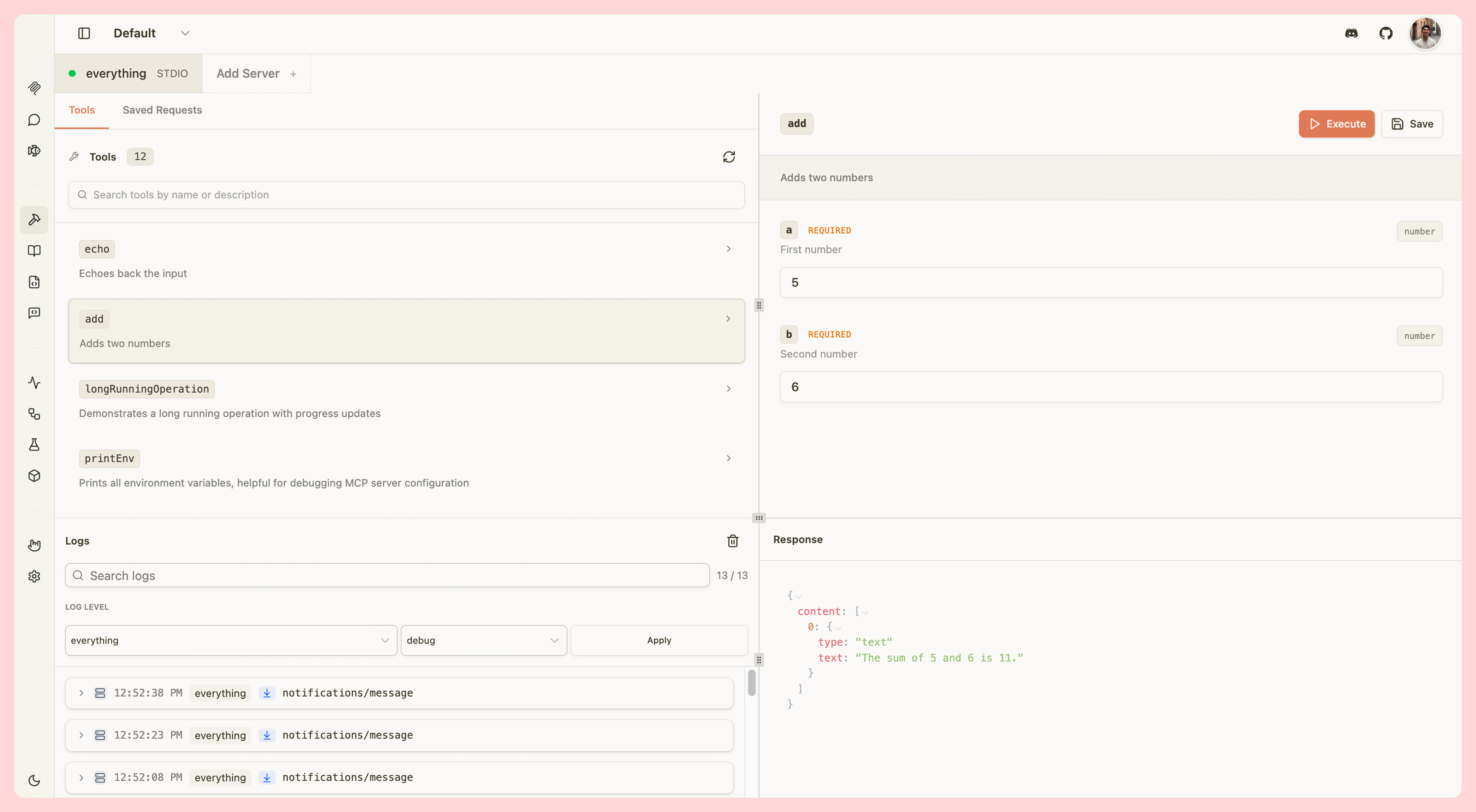
Tools
Test your MCP tools by manually invoking them with custom parameters:- View all tools - Browse tool names, descriptions, and parameters
- Search tools - Quickly find specific tools by name
- Invoke tools - Trigger tools with custom input parameters
- View results - See tool outputs, including widget responses for ChatGPT apps and MCP apps
- Elicitation support - Handle elicitation requests from tools
- Save requests - Save frequently used tool invocations for quick testing
Resources
Inspect your MCP server’s resources:- Browse resources - View all available resources with names, URIs, and MIME types
- Read resources - Fetch and view resource content
- Resource templates - Test templated resources with dynamic parameters
Prompts
Test your MCP prompts:- View prompts - Browse prompt names, descriptions, and parameters
- Fetch prompts - Retrieve prompt content with custom arguments
- Use in Chat - Type
/in the Chat tab to insert prompts directly into the conversation
JSON-RPC Logging
All communication between MCPJam and your MCP server is logged in real-time:- Request/response pairs - View complete JSON-RPC messages
- Message types - See tool calls, resource reads, prompt fetches, and more
- Error tracking - Inspect errors and validation issues
- Timestamps - Track message timing and performance